The Statement of Applicability should be a living record, not a certification artefact.
How to build and maintain an ISO/IEC 27001 Statement of Applicability: Annex A controls, justifications, implementation status and links to risk treatment.
The principle
Every line of the Statement of Applicability should point back to a risk and forward to evidence.
The Statement of Applicability (SoA) is one of the most important documents in an information security management system, and one of the most frequently out of date. Prepared for certification, it is often a spreadsheet that no longer matches the controls actually in place.
Certification auditors use the SoA as a map of the ISMS. It tells them which controls the organisation claims to operate, why, and which it has excluded. Every audit sample then tests that claim. An SoA that does not reflect reality turns every sample into a potential finding.
01 · Start with context
What the SoA is for.
ISO/IEC 27001 clause 6.1.3 d) requires the organisation to produce a Statement of Applicability that contains:
- The necessary controls, determined through the risk treatment process.
- The justification for their inclusion.
- Whether the necessary controls are implemented or not.
- The justification for excluding any of the Annex A controls.
In the 2022 edition, Annex A lists 93 controls grouped into four themes: organisational (37), people (8), physical (14) and technological (34). The SoA is the bridge between risk treatment and the controls you operate.
Annex A is a checklist, not the starting point
ISO/IEC 27001 is clear that controls are determined by the risk treatment process, and that Annex A is then used to check that no necessary controls have been omitted. Organisations that start from Annex A and work backwards often end up with controls that do not match their actual risks, and justifications that sound generic.
02 · Start from risk
Controls follow treatment decisions.
- Identify information assets and assess security risks.
- Decide how each risk will be treated.
- Select the controls needed for treatment, from Annex A or elsewhere.
- Compare your selected controls with Annex A to confirm nothing necessary is missed.
A control that is not linked to any risk, legal requirement or contractual obligation deserves scrutiny.
Controls from beyond Annex A
The standard allows controls from any source. Sector-specific frameworks, customer requirements or internal designs can all add controls. Including them in the SoA, clearly identified as additional, shows the full control environment rather than only the Annex A subset.
03 · Justify every decision
Inclusion and exclusion.
- For included controls, record why: the risks treated, or the legal or contractual requirement.
- For excluded controls, record why they are not necessary.
- Avoid generic justifications such as "not applicable" without explanation.
Auditors read justifications closely, and specific ones are much easier to defend.
Example justifications
Weak: "8.28 Secure coding – N/A." Strong: "8.28 Secure coding – Excluded. The organisation does not develop software; all applications are commercial products procured under supplier controls 5.19–5.22." The strong version tells the auditor exactly why the control is unnecessary and where the related risk is handled instead.
04 · Track implementation
Status and evidence.
Each included control should show its implementation status: implemented, partially implemented or planned, with an owner and evidence. Planned controls should link to the actions that will implement them.
Control assessments provide that evidence. Periodically testing whether each control operates as described, and recording the result, means the SoA’s "implemented" status rests on evidence rather than assertion. Controls found ineffective should become actions, and their status should change until remediated.
05 · Keep it current
Review with every significant change.
The SoA should be reviewed when risks change, when new systems or suppliers are introduced, after incidents and at least at each management review. A versioned SoA shows how the control environment evolved.
Common pitfalls
- Annex A first: controls selected from the list rather than from risk treatment.
- Generic justifications: "N/A" with no explanation, which auditors routinely challenge.
- Implemented on paper: controls marked implemented with no assessment or evidence.
- Frozen at certification: an SoA unchanged since the first audit despite new systems and risks.
06 · Certora information security management
SoA connected to risks and assessments.
Certora Information Security Management runs the ISO/IEC 27001 ISMS: classified information assets, security risks treated by Annex A controls, and the Statement of Applicability. Controls are assessed, time-limited exceptions are managed, access reviews run as campaigns, and the ISMS report summarises the position.
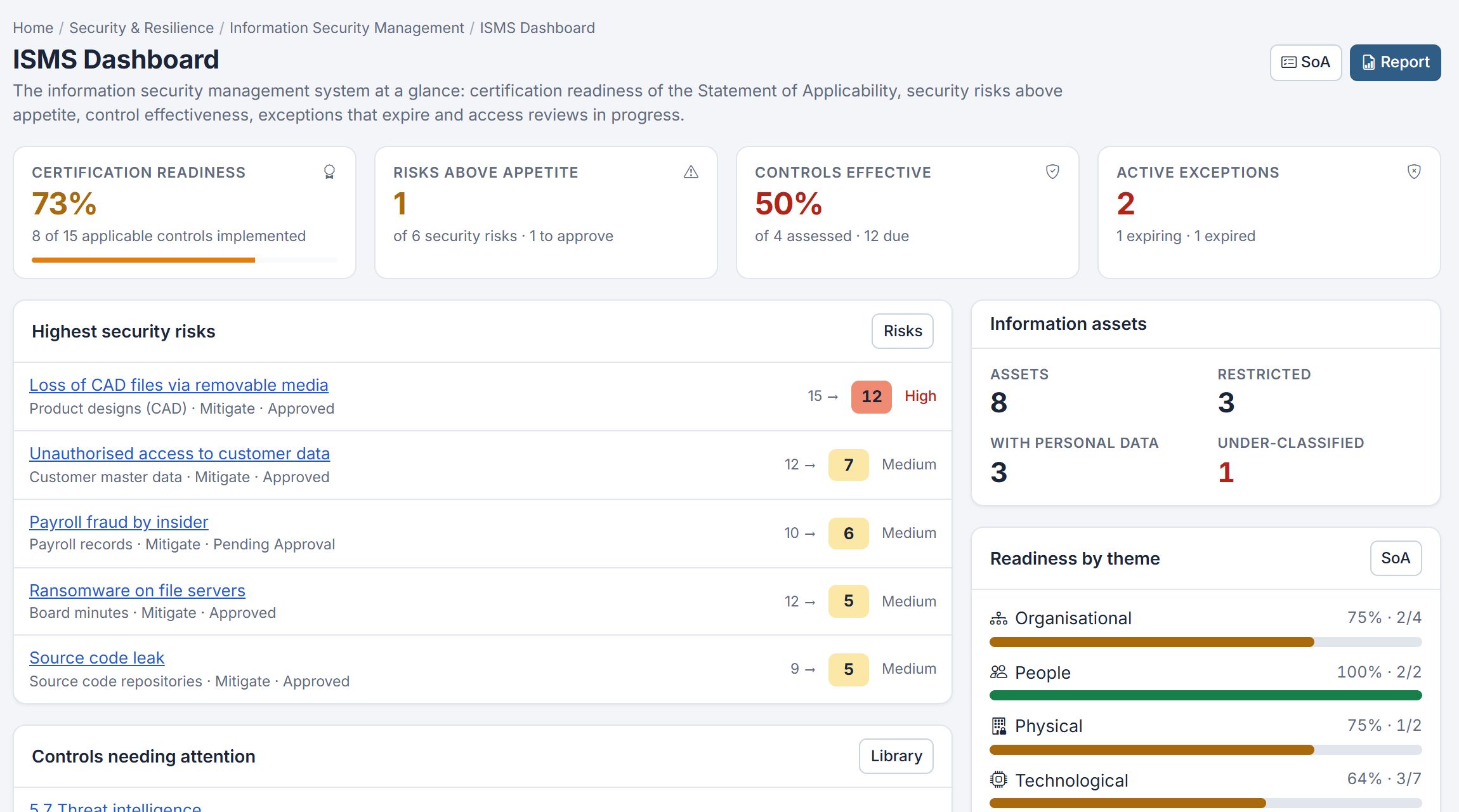
The ISMS dashboard shows certification readiness, risks above appetite and controls needing attention. Read user access review campaigns for one of the most commonly audited controls.