ISO compliance & quality management software

Compliance, under control.

  • Documents
  • Audits
  • Risks
  • Corrective actions
  • Training

Bring your documents, audits, risks, and quality processes together in one structured workspace. Make ISO management clearer, more consistent, and easier to maintain.

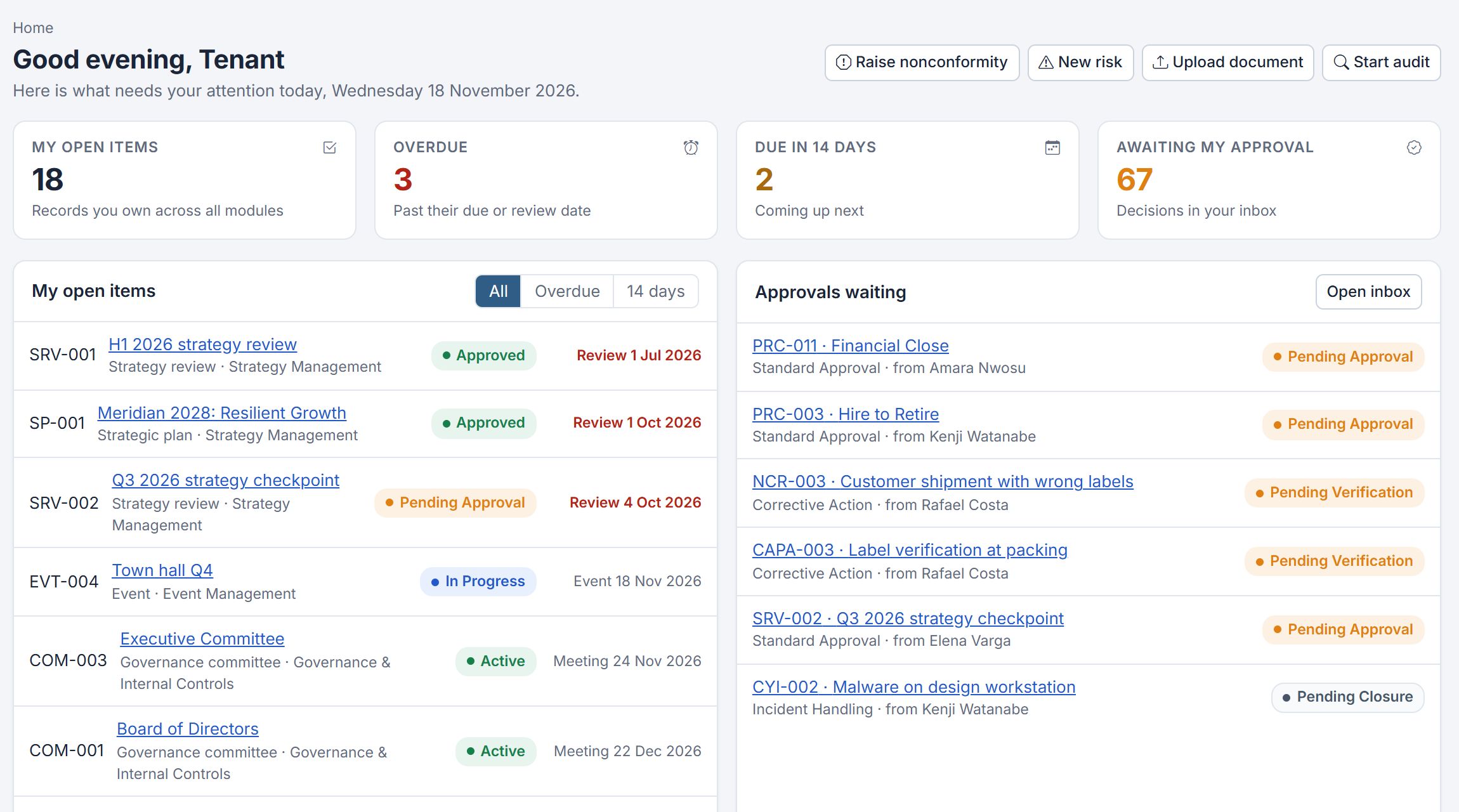
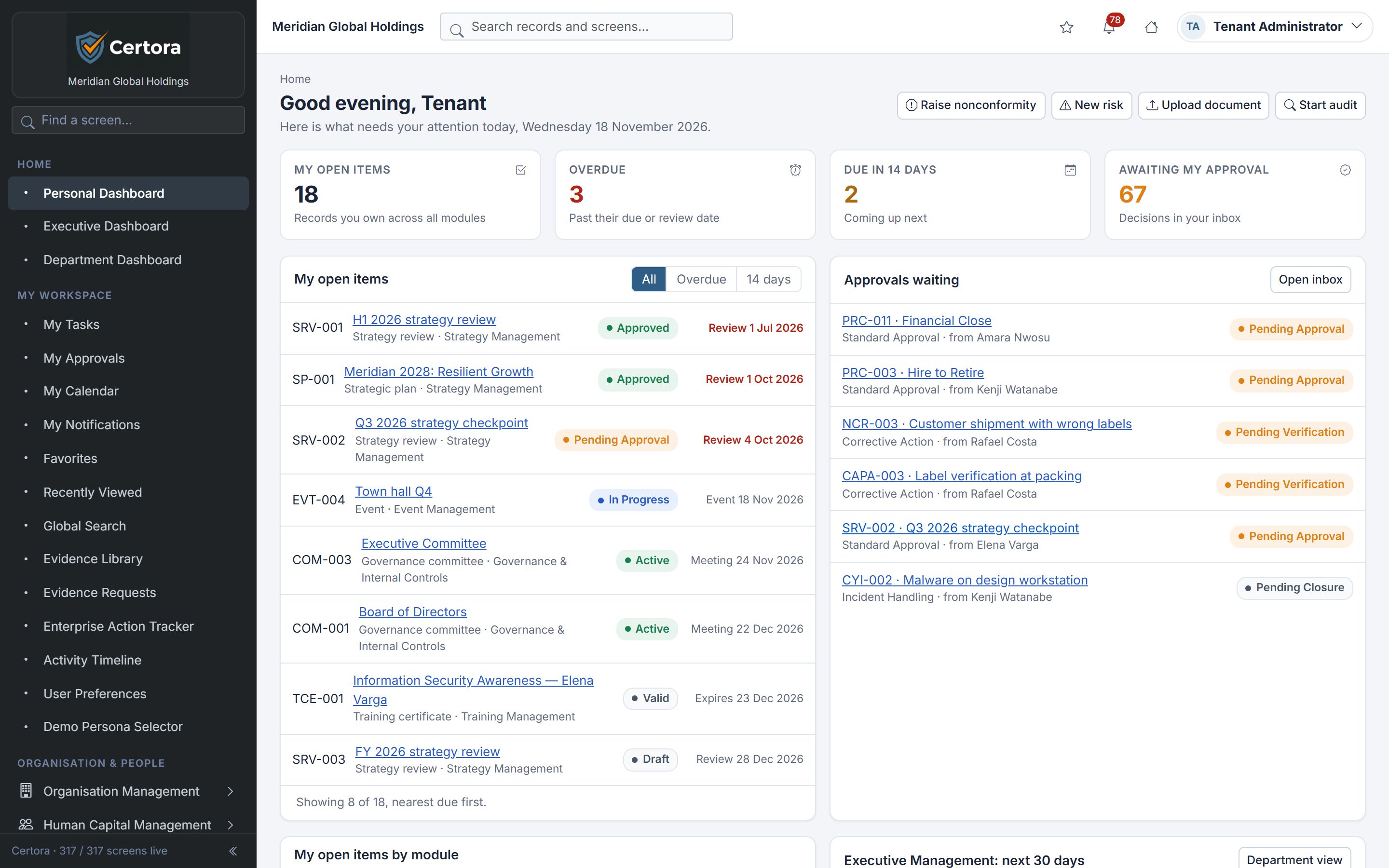
The Certora personal dashboard showing open items, overdue work, items due in 14 days, approvals waiting and the user's open records
Actual product screen · demo organisation

Structured around the clauses of the standards you are audited against

  • ISO 9001Quality
  • ISO 14001Environment
  • ISO 45001Occupational health & safety
  • ISO/IEC 27001Information security

Six disciplines.
One system of record.

Each area of your management system has its own workspace, and all of them share owners, due dates, evidence and history. What you record in one place is visible wherever it matters.

01

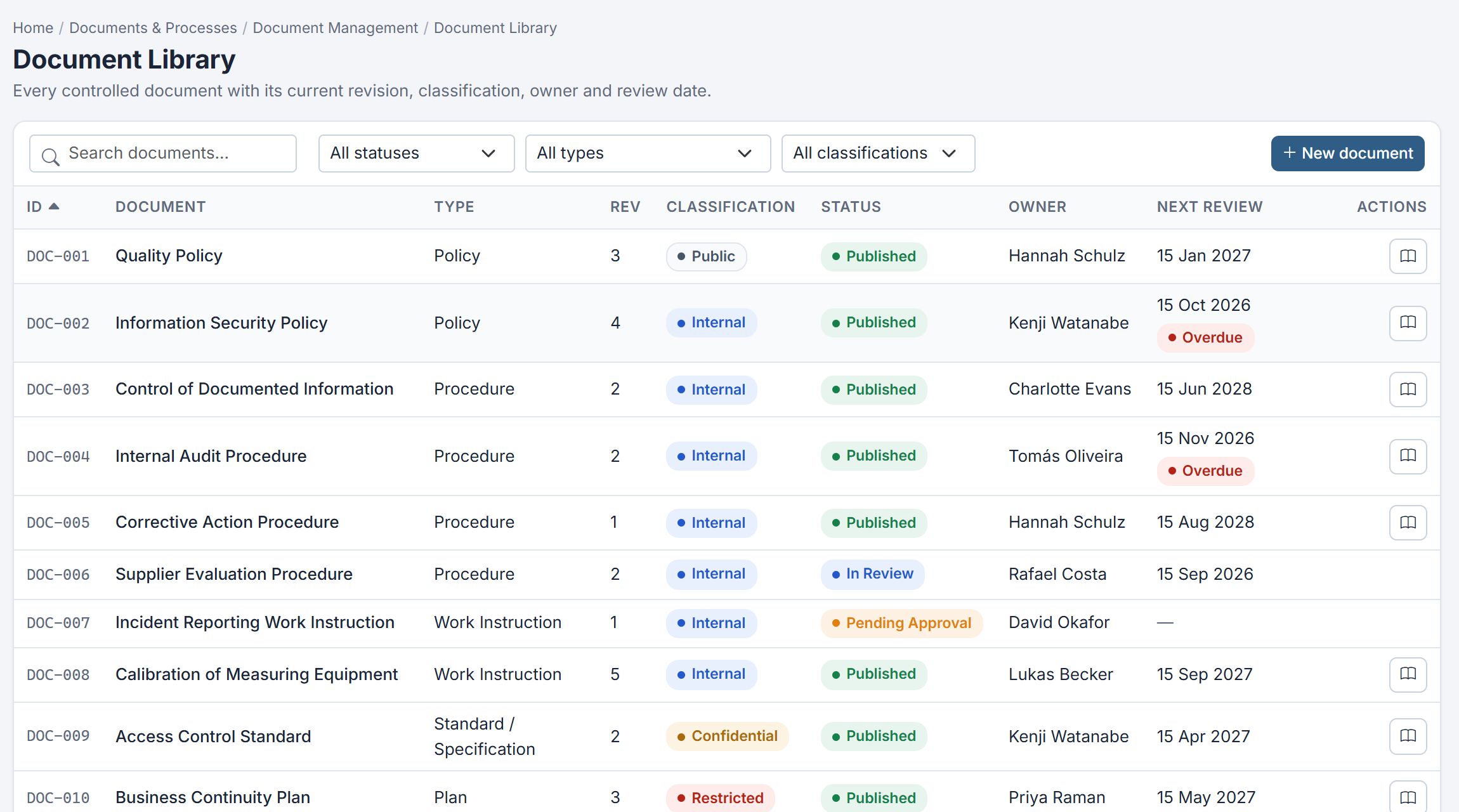
Document Control

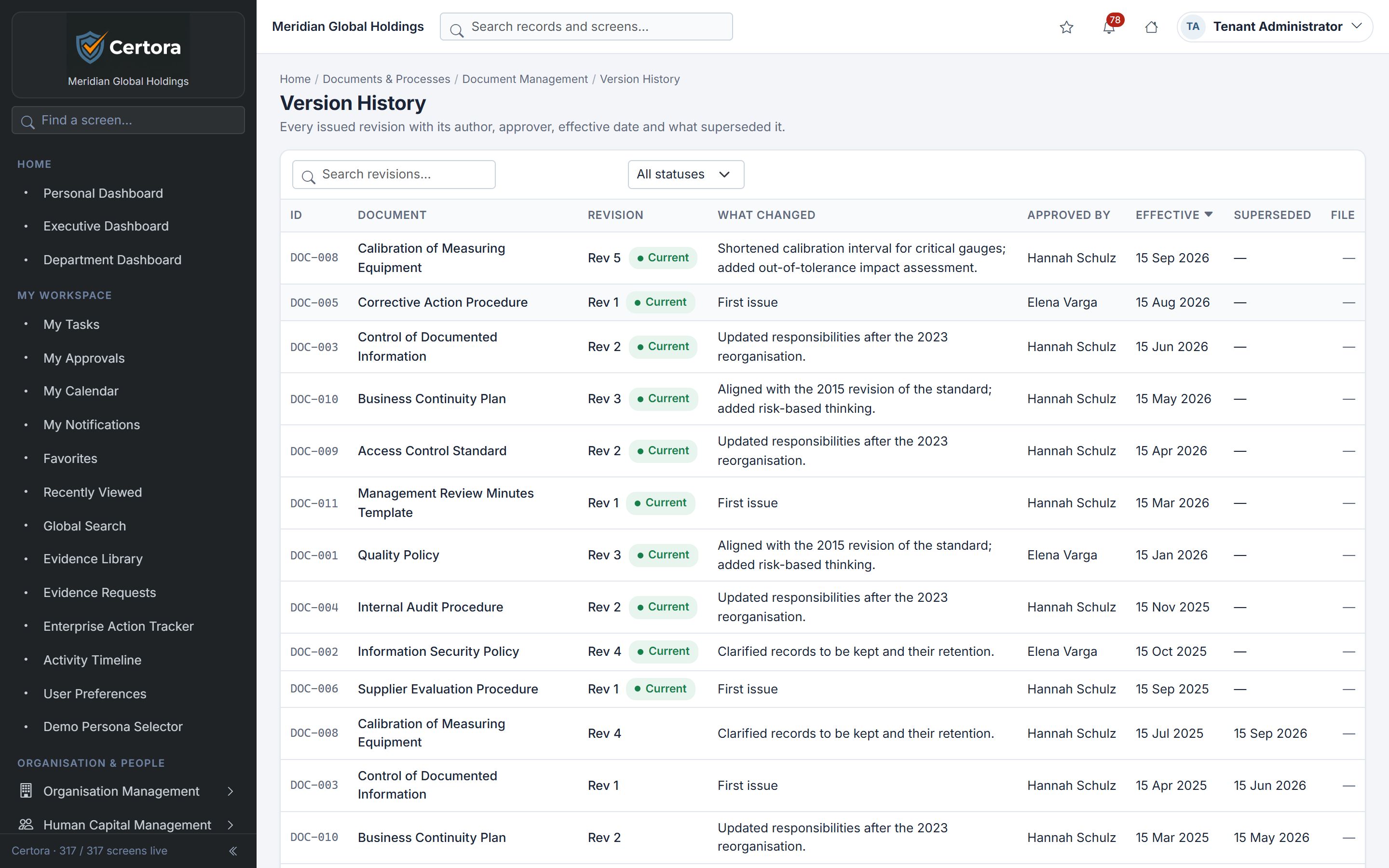
Every controlled document with its current revision, classification, owner and next review date. Reviews and approvals are routed, and earlier revisions stay on record.

  • Revision history with what changed
  • Review and approval queues
  • Classification and access by role
Certora Document Library listing controlled documents with revision, classification, status, owner and next review date
Documents · Document Library
02

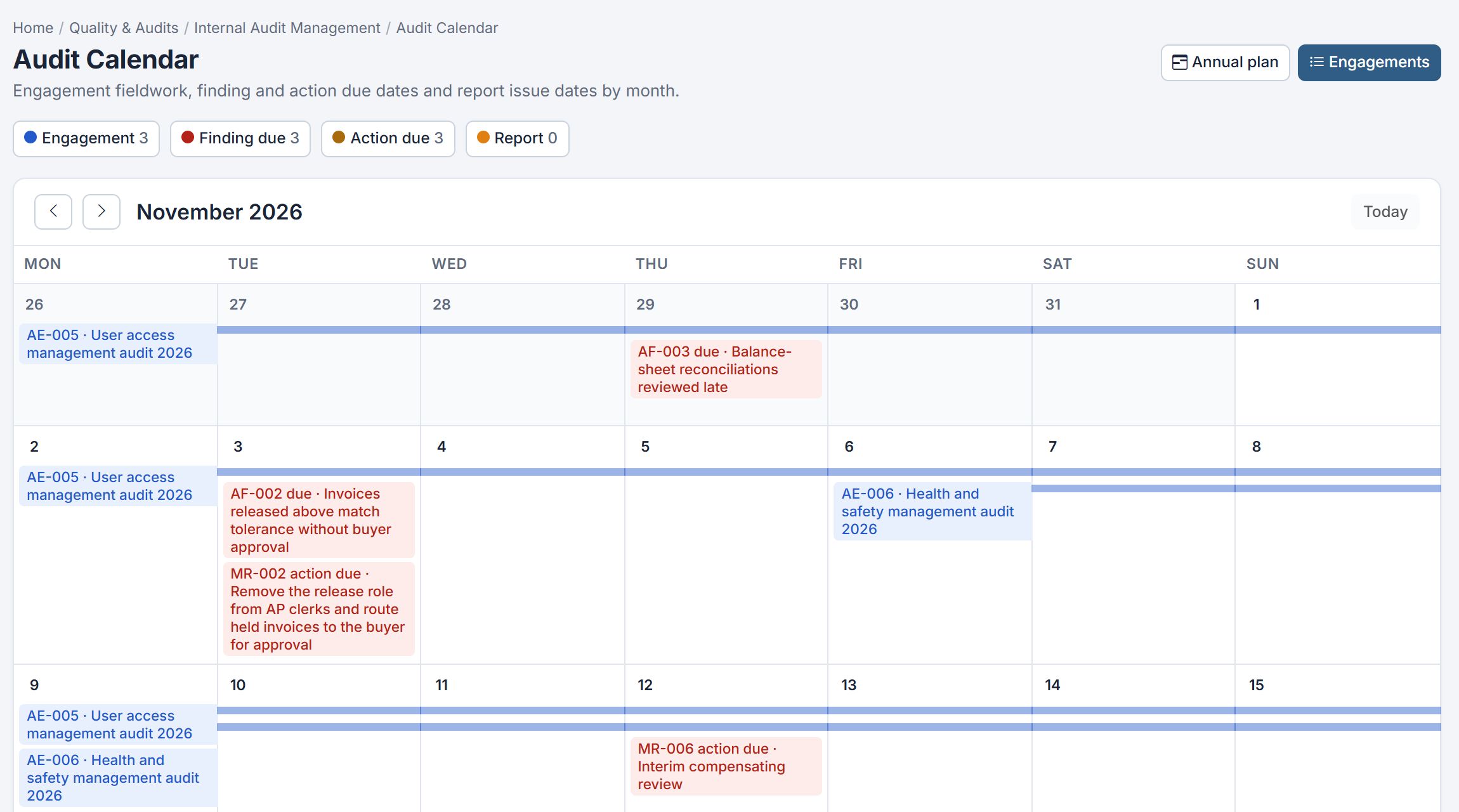
Audit Management

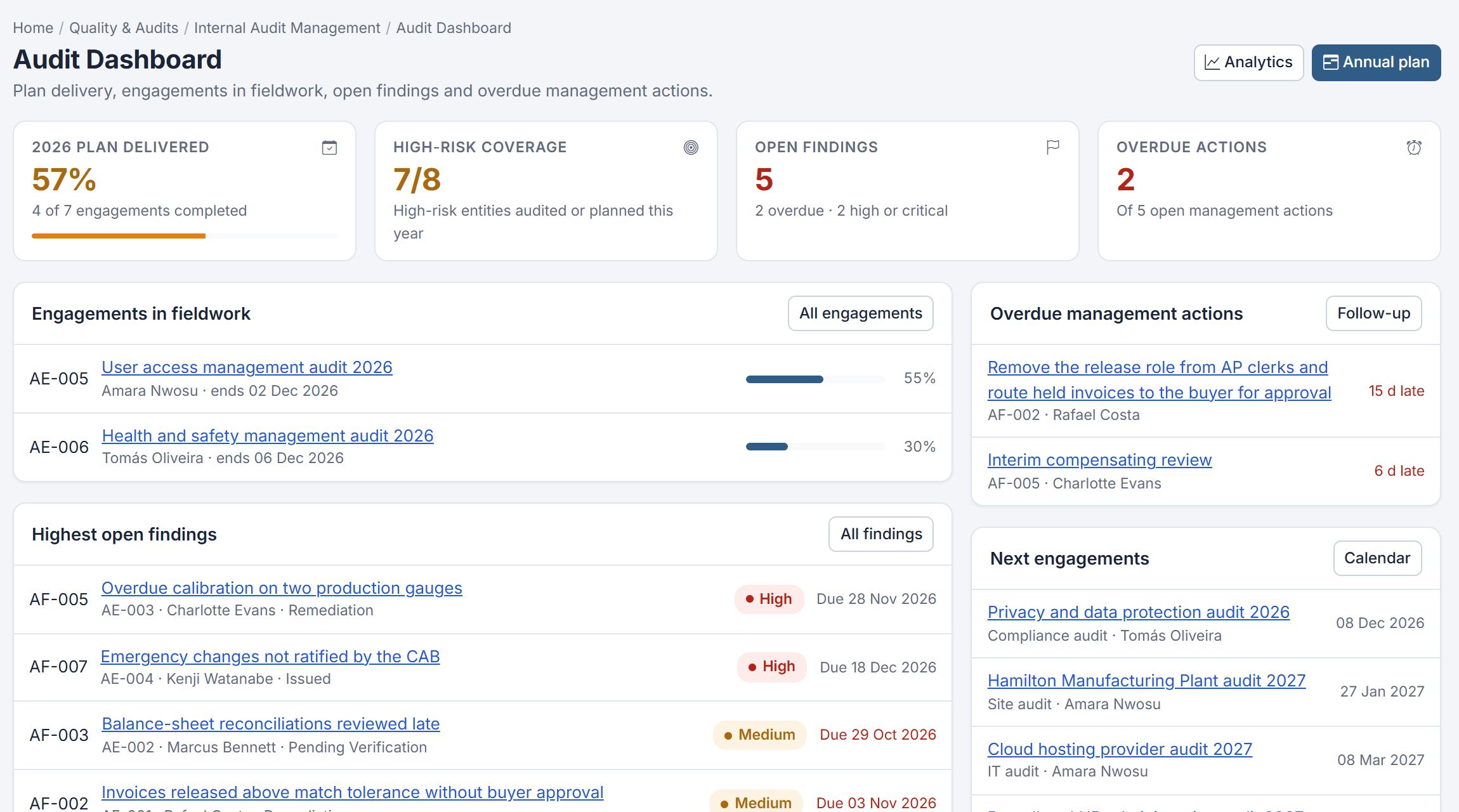
Plan the audit programme, schedule engagements, and track finding and action due dates on one calendar.

  • Annual plan and engagements
  • Findings with owners and due dates
  • Management responses and follow-up
Certora Audit Calendar showing engagements, finding due dates and action due dates for the month
Internal Audit · Audit Calendar
03

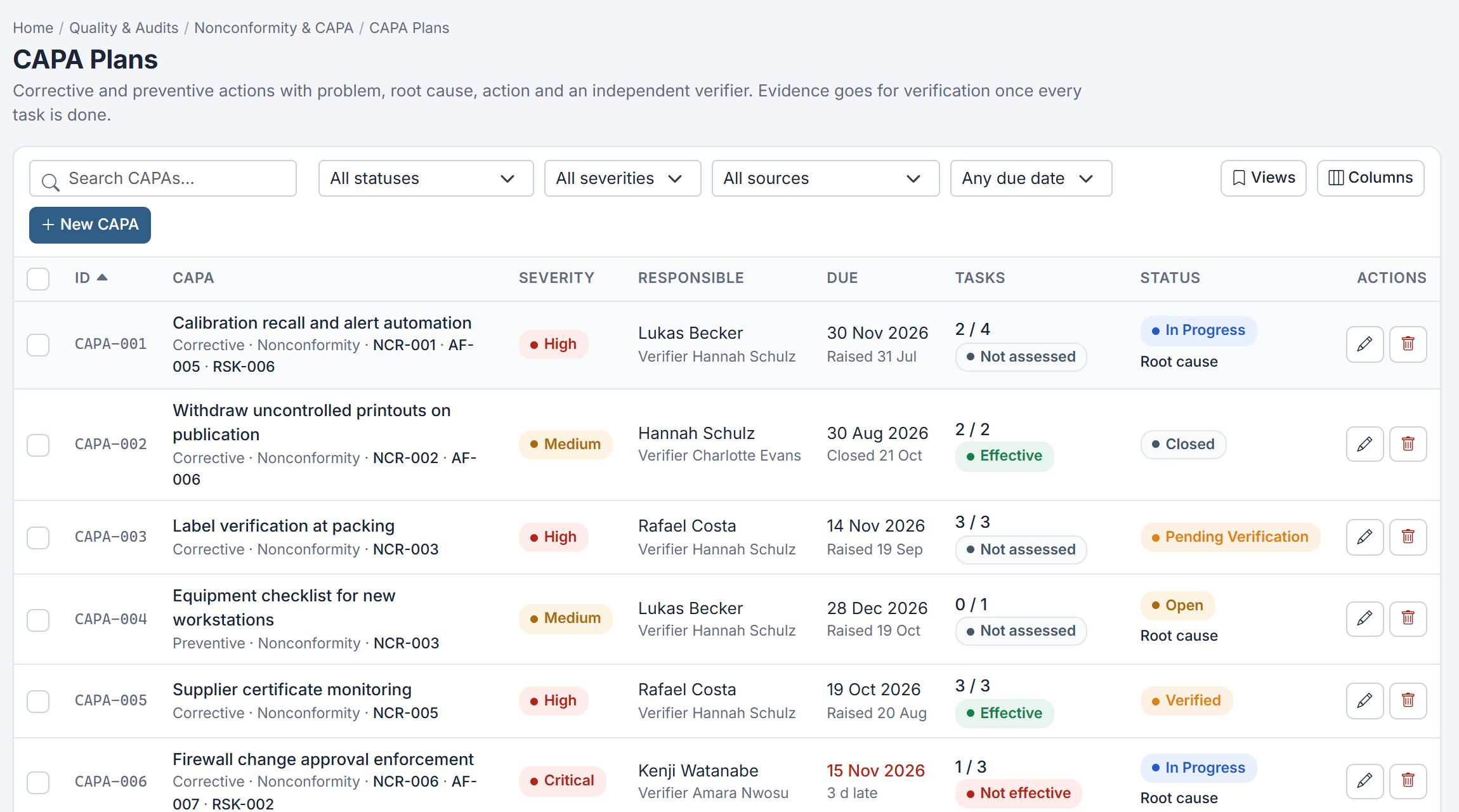
Nonconformity & Corrective Actions

Corrective and preventive actions carry the problem, root cause, actions and an independent verifier. Evidence goes for verification once every task is done.

  • Linked to the nonconformity, finding and risk
  • Tasks, due dates and lateness
  • Effectiveness checked before closure
Certora CAPA Plans listing actions with severity, responsible person, verifier, due date, task progress, effectiveness and status
Nonconformity & CAPA · CAPA Plans
04

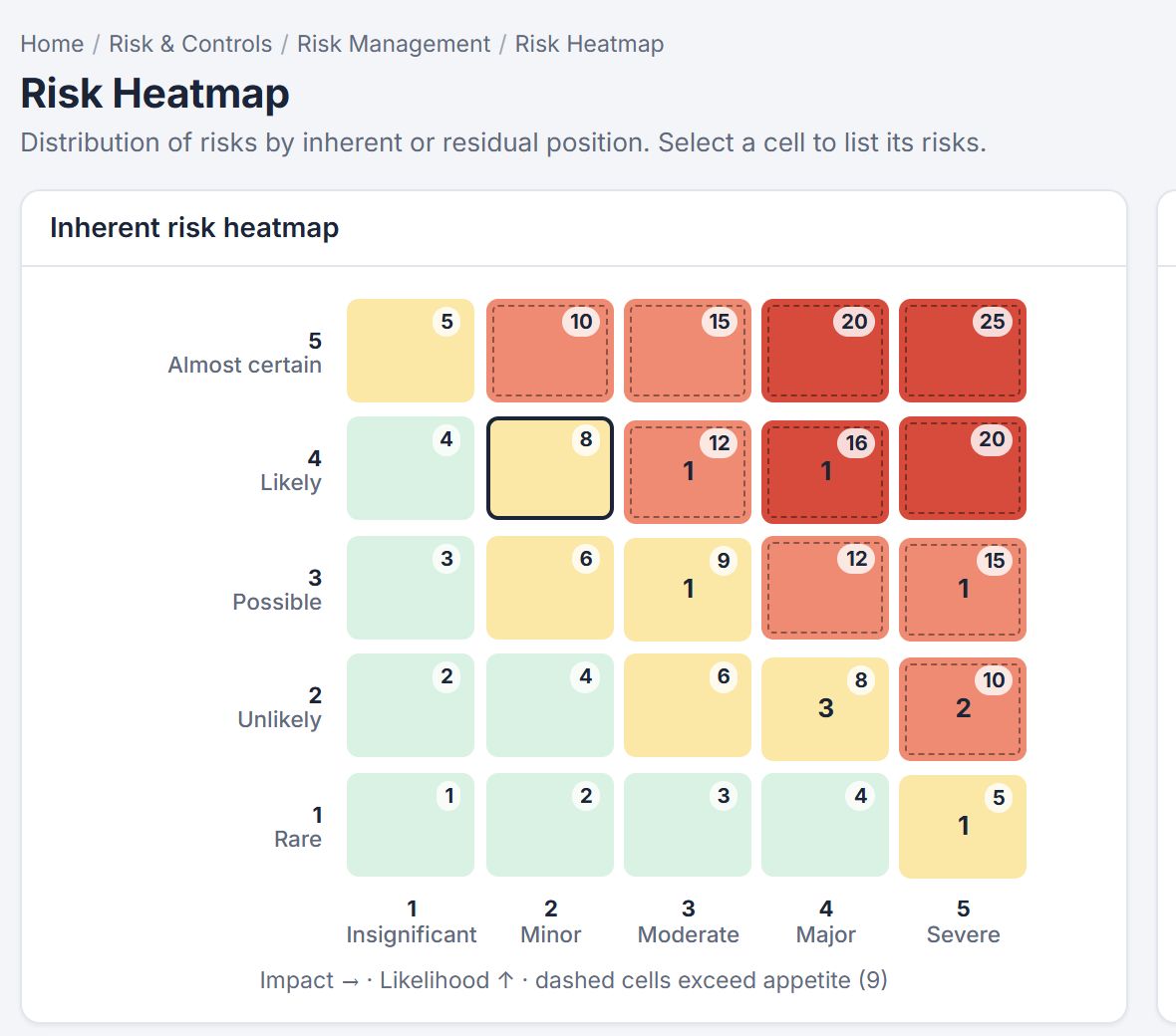
Risk & Opportunity Management

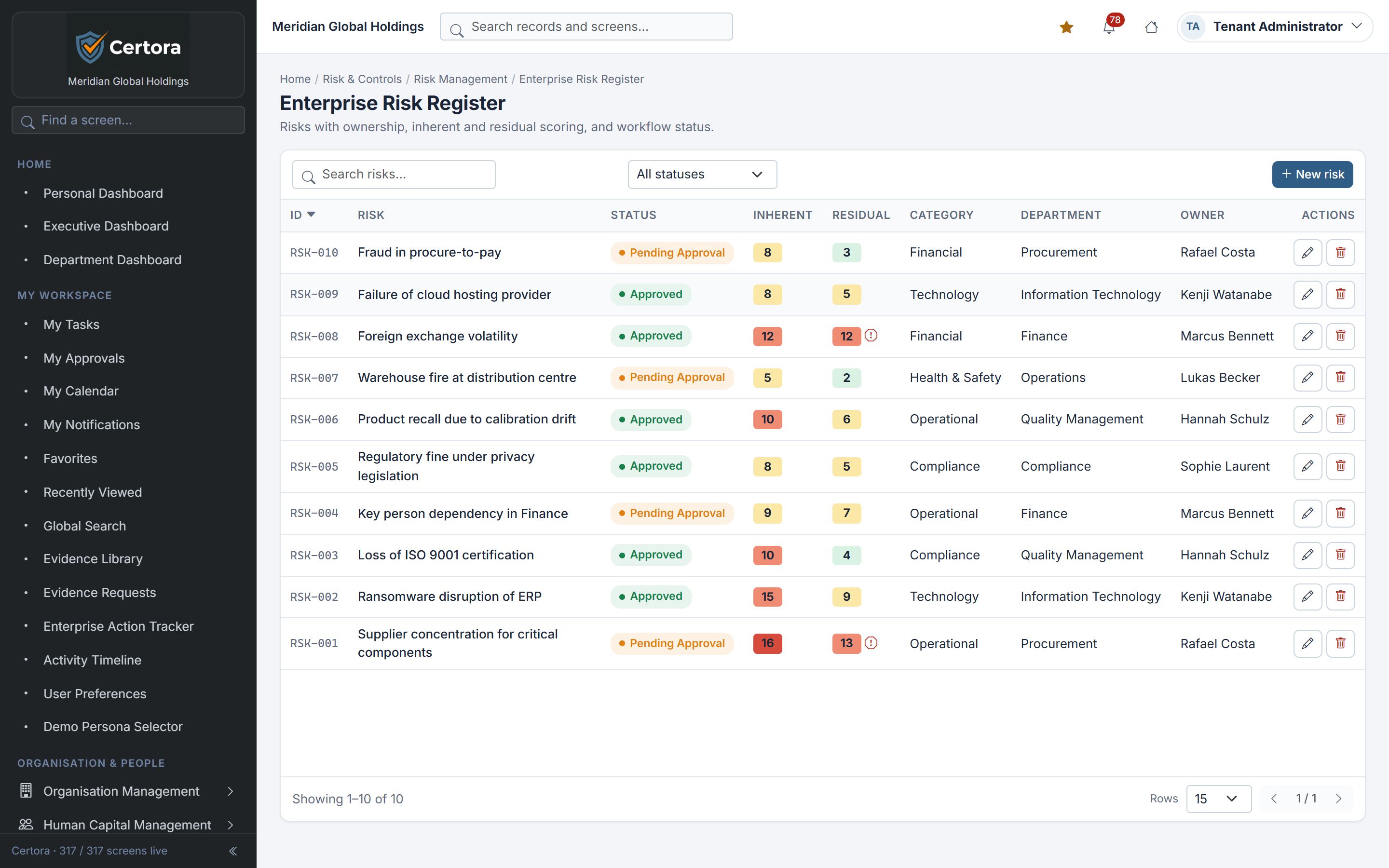
Score risks by likelihood and impact, compare inherent and residual positions, and see which cells exceed your appetite.

  • Risk and opportunity registers
  • Treatment plans and reviews
  • Inherent and residual heatmaps
Certora inherent risk heatmap with a five-by-five likelihood and impact grid and cells above appetite marked
Risk · Risk Heatmap
05

Training & Competency

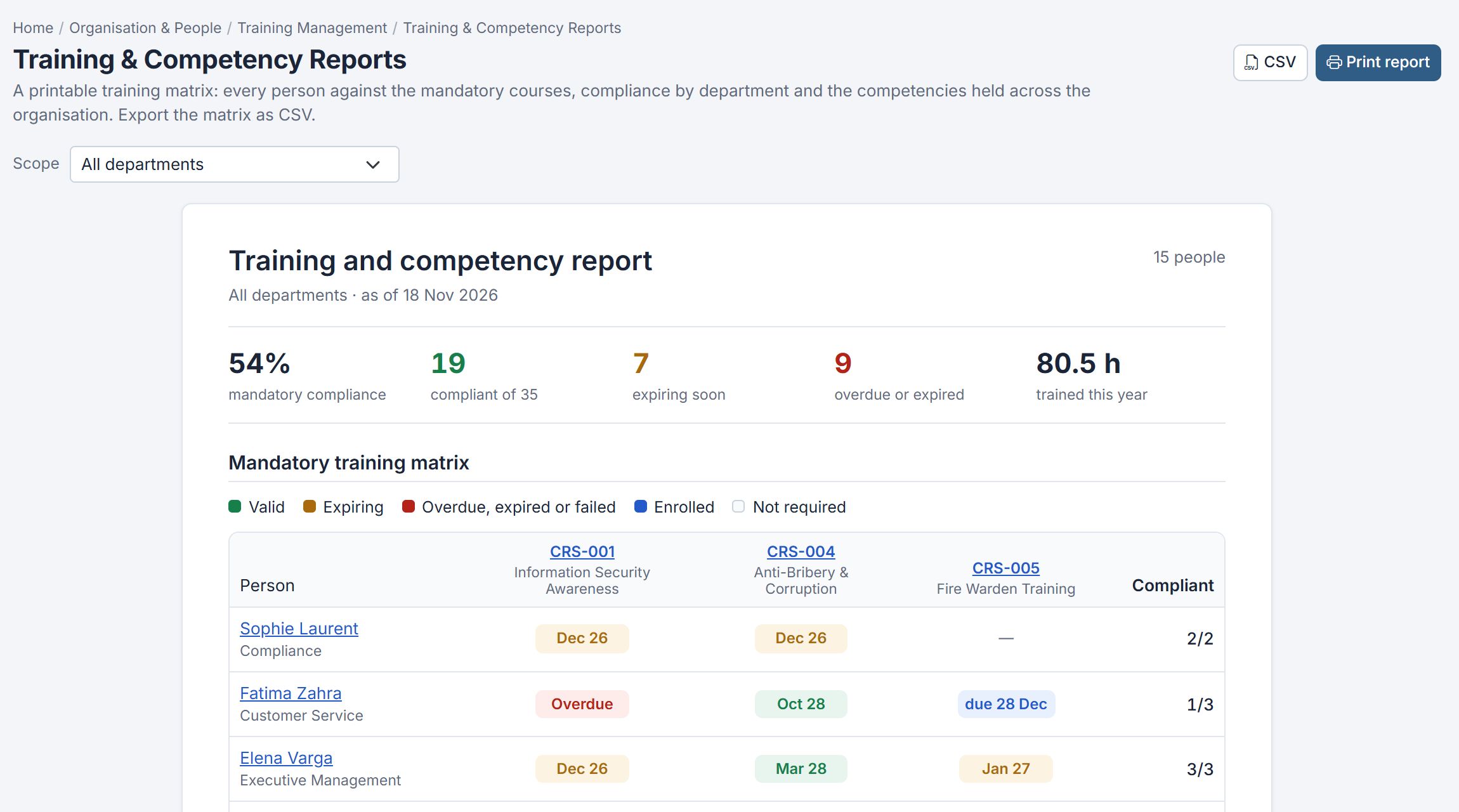
A training matrix of every person against the mandatory courses, with what is valid, expiring, overdue or not required.

  • Course catalogue and enrolments
  • Certificates and expiry tracking
  • Printable matrix and CSV export
Certora training and competency report showing mandatory compliance figures and a person-by-course training matrix
Training · Training & Competency Reports
06

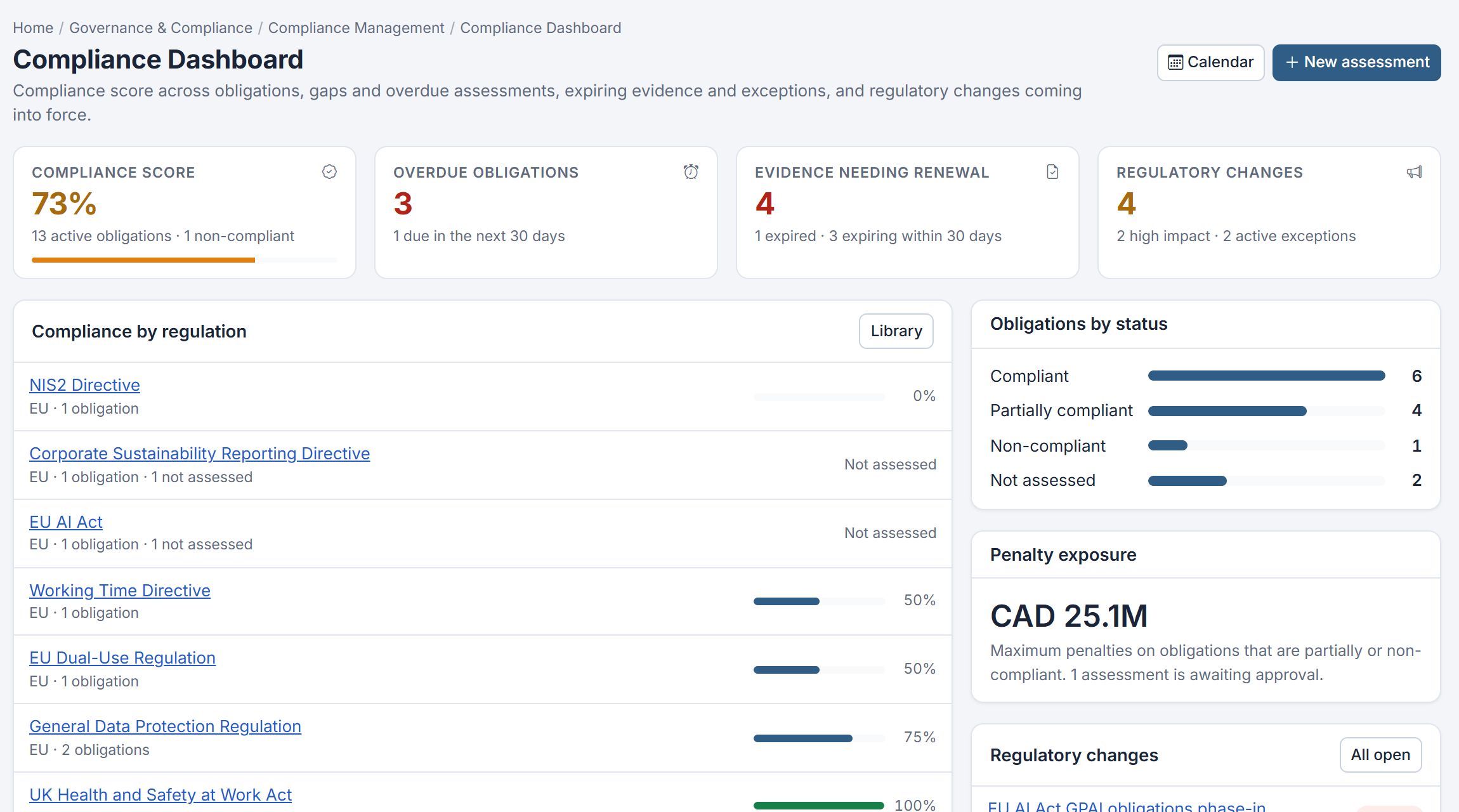
Compliance Monitoring

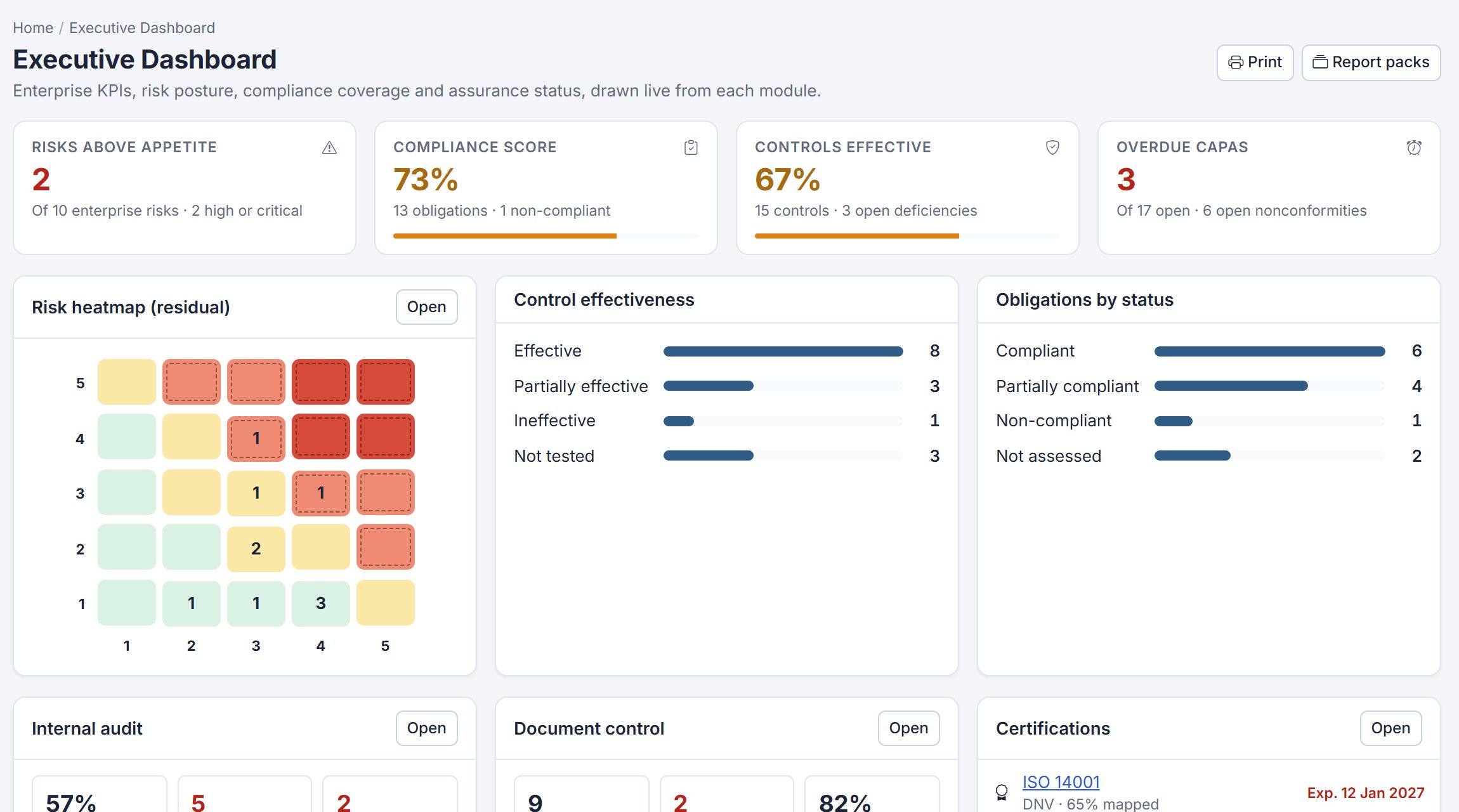
A compliance score across your obligations, with overdue items, evidence needing renewal and regulatory changes coming into force.

  • Obligations register with evidence
  • Assessments and exceptions
  • Compliance calendar and reports
Certora Compliance Dashboard showing compliance score, overdue obligations, evidence needing renewal and compliance by regulation
Compliance · Compliance Dashboard

Follow any record from cause to closure.

Certora links each record to the evidence, decisions and people behind it. Pick a workflow to see how a quality event moves through the system.

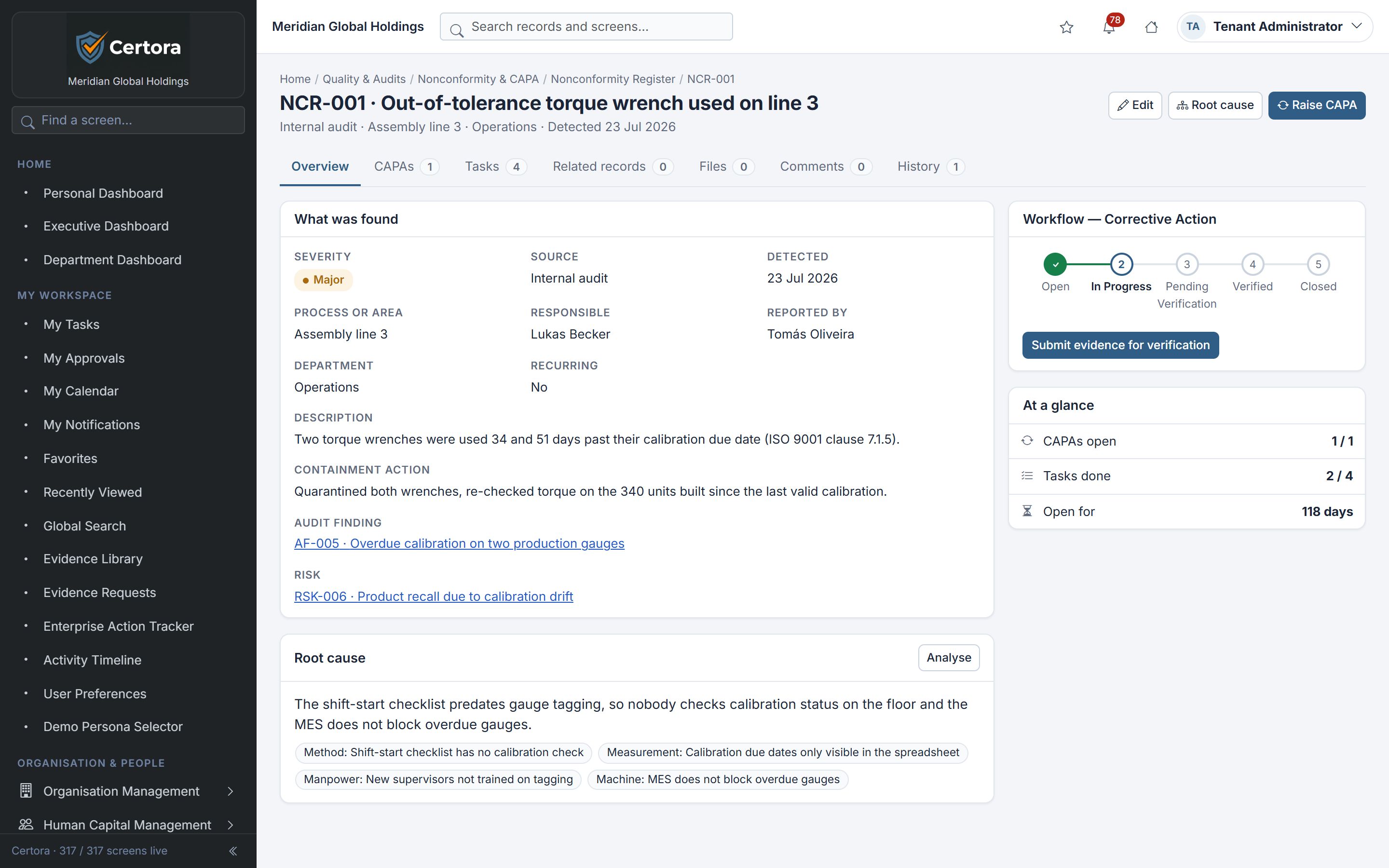
A nonconformity keeps everything about it on one record: what was found, the containment, the audit finding and risk it relates to, the root cause and its corrective actions.

Linked
Audit finding AF-005 and risk RSK-006
Root cause
Grouped by method, measurement, manpower and machine
Workflow
Open → In progress → Pending verification → Verified → Closed
Certora nonconformity record NCR-001 with severity, source, containment action, linked audit finding and risk, root cause and corrective action workflow
Clarity
One current version of every document, register and plan. The status of each is visible without asking.
Traceability
Findings, actions, revisions and training link to each other, so you can show an auditor the full chain.
Accountability
Every task has a named owner and a due date. Every change records who made it and when.
Consistency
The same workflow is followed every time, so records look the same whichever department created them.

Built for the people who keep the system running.

Quality management is shared work. Certora gives each role the view it needs, all drawn from the same records.

For quality managers

Know what needs attention today, before an auditor asks.

  • One worklistOpen items, overdue work and approvals across every module.
  • Due dates that surfaceReviews and actions due in the next 14 days, nearest first.
  • Quick actionsRaise a nonconformity, log a risk or start an audit from the dashboard.
Certora personal dashboard with open items, overdue work, items due in 14 days and approvals waiting
Home · Personal Dashboard

Plans that grow with your management system.

Start with one standard and the core quality processes, then add standards, people and modules as your scope grows. Every plan includes onboarding.

Essential

$149/mo

Small organizations

Up to 15 users

1 ISO standard, document control, internal audits, CAPA, risk register, basic reporting.

Professional

$349/mo

Growing organizations

Up to 50 users

3 ISO standards, everything in Essential, training, incidents, management review, advanced workflows.

Business

$699/mo

Larger companies

Up to 150 users

Multiple ISO standards, full QMS, business continuity, supplier management, multi-department operations.

Enterprise

$1,499+/mo

Corporations and groups

Custom users

Full GRC suite, multi-entity/multi-site, API integrations, advanced access controls, custom support.

Prices in US dollars. Billed monthly, or annually for the price of ten months.

Resources for your evaluation.

Material to help your team assess Certora properly. Request any of it and we will send it with your demo invitation.

Guides

Module user guides

Step-by-step guides for every module, written for the people who use it day to day: what each screen is for, the workflow, and who can do what.

Guides
34, one per module
Format
PDF, A4
Request the guides

Approach

Implementation approach

How a rollout is usually sequenced, so each step builds on records that already exist.

  1. Documented information
  2. Audit programme
  3. Nonconformity & CAPA
  4. Risks & opportunities
  5. Training & competency
Discuss in your demo

Security

Data handling overview

A short document for your IT and data protection teams. It answers:

  • Where is our data stored?
  • Who can access it, and how is access controlled?
  • How long are records retained?
  • How do we export our data?
Request the overview

Insights for quality and compliance teams.

All insights

Questions about ISO compliance software.

What teams usually ask before moving their quality management system into Certora.

What is Certora?

Certora is ISO compliance and quality management software. It brings document control, internal audits, nonconformities and corrective actions (CAPA), risk and opportunity management, training and competency records, and compliance monitoring into one structured web workspace.

Which ISO standards does Certora support?

Certora is structured around the clauses of ISO 9001 (quality), ISO 14001 (environment), ISO 45001 (occupational health and safety) and ISO/IEC 27001 (information security). The Essential plan covers one standard, Professional covers three, and Business and Enterprise cover multiple standards.

Does Certora certify my organisation?

No. Certora is not a certification body. It helps you run, every day, the management system that your certification body audits: controlled documents, audit programmes, corrective actions, risks and training records with a full history.

How much does Certora cost?

Plans are priced in US dollars: Essential $149 per month, Professional $349 per month, Business $699 per month and Enterprise from $1,499 per month, each with a one-time setup fee. Annual billing costs ten times the monthly price.

Do we need to install anything?

No. Certora is a web application used in the browser. There is nothing to install on staff computers.

Who operates Certora?

Certora is operated by NxtStory Studios, Inc., with offices in Philippines and United States.

Build a better way to manage quality.

Move beyond scattered files and disconnected processes. Discover a more structured approach to ISO compliance and quality management.

Request a demo

A guided walkthrough shaped around your standards and scope.

Standards of interest

Opens your email app with the request filled in, addressed to hello@certora.app.