Project change control and lessons learned protect the next project too.
How to control project budget and scope change, manage risks and issues, and close projects with lessons learned that improve future delivery.
The principle
Every unapproved change spends someone else's budget. Every unrecorded lesson costs the next project.
Projects rarely fail because of one large decision. They drift through many small changes, each reasonable on its own, none formally approved. By closure, nobody can say exactly why the project cost what it did, and the lessons leave with the team.
Change control and lessons learned sit at opposite ends of a project, but they share a purpose: making decisions visible so that the organisation can understand them, both during the project and afterwards. Together they turn individual projects into organisational learning.
01 · Start with context
Change and learning are part of governance.
Project management guidance such as ISO 21502 treats change control, risk and issue management, and lessons learned as core project management practices. In a management system, they also connect to ISO 9001’s expectations for planned change in clause 6.3, and to continual improvement in clause 10.3.
Why change is inevitable
Change is not a sign of poor planning. Requirements become clearer as work progresses, business priorities shift, and risks materialise. The goal of change control is not to prevent change, but to make sure each change is understood, approved by the right person, and reflected in the plan, budget and expectations.
02 · Control change formally
Scope, schedule and budget.
- Describe the requested change and why it is needed.
- Assess the impact on scope, schedule, budget, quality and risk.
- Approve or reject at the right level of authority.
- Update the baseline once a change is approved.
A change log shows how the project evolved from its original charter.
Tolerances
Many organisations define tolerances that let the project manager approve small changes without escalation, for example changes within 5% of budget or one week of schedule. Changes beyond tolerance go to the sponsor or steering group. Tolerances keep decision-making fast for minor changes while protecting oversight of significant ones.
03 · Track the budget
Planned, committed and actual.
- Set the approved budget at charter.
- Record commitments and actual spend as they occur.
- Forecast the cost at completion.
- Flag variances early, before they become overruns.
Commitments matter as much as actual spend. A purchase order raised today will become actual cost next month; tracking only invoices paid hides the real position. Forecasting the cost at completion each month, based on progress and commitments, gives sponsors an early view of where the project will land.
04 · Log risks and issues
Different things, both managed.
Risks are things that might happen; issues are things that have happened. Both need owners and actions. Reviewing them at every project meeting keeps them current and stops issues being discovered late.
Project risks that could affect the wider organisation, such as a system replacement that could disrupt operations, may also belong in the enterprise risk register, so they are visible beyond the project team.
06 · Certora project management
Change, budget, risks and lessons learned.
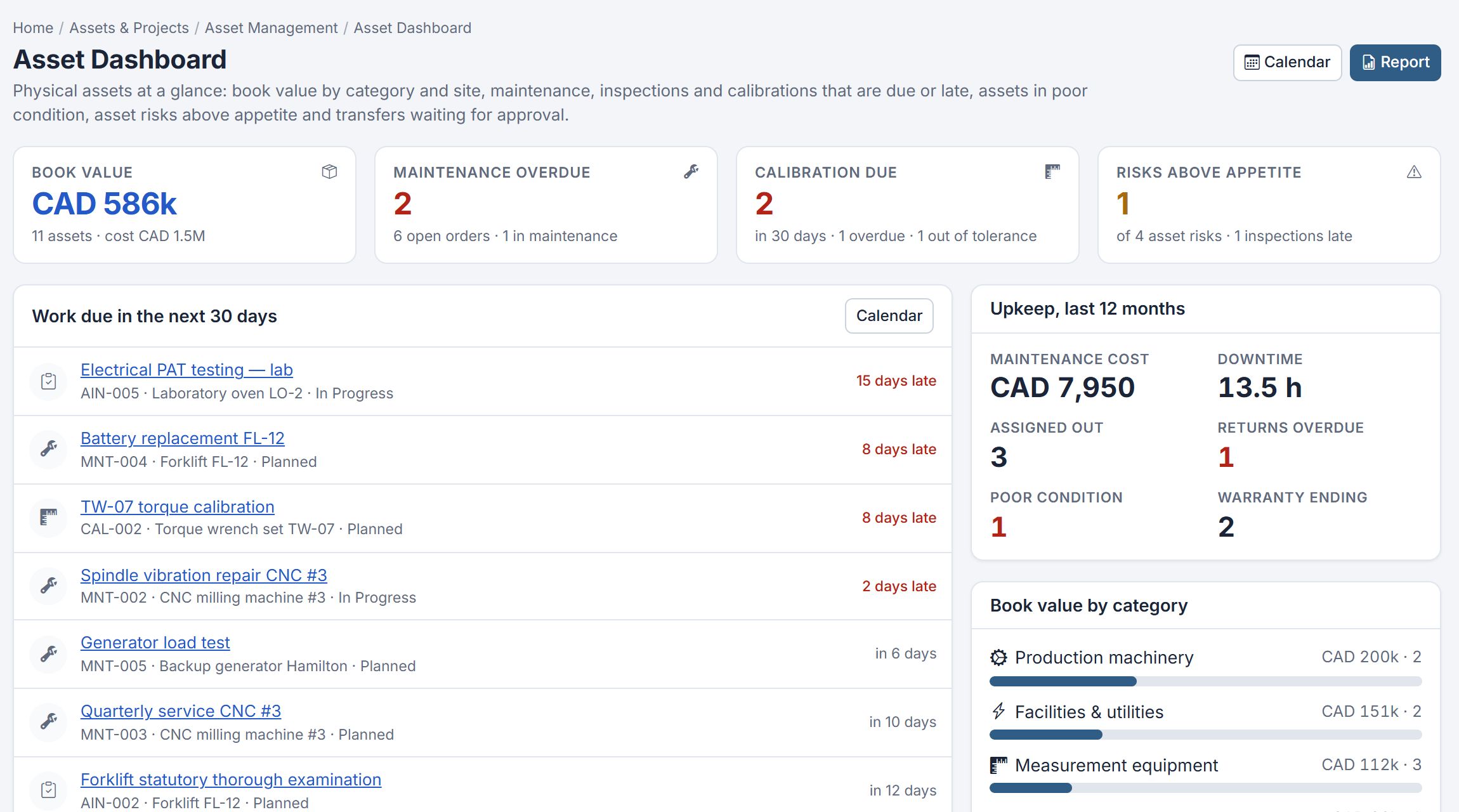
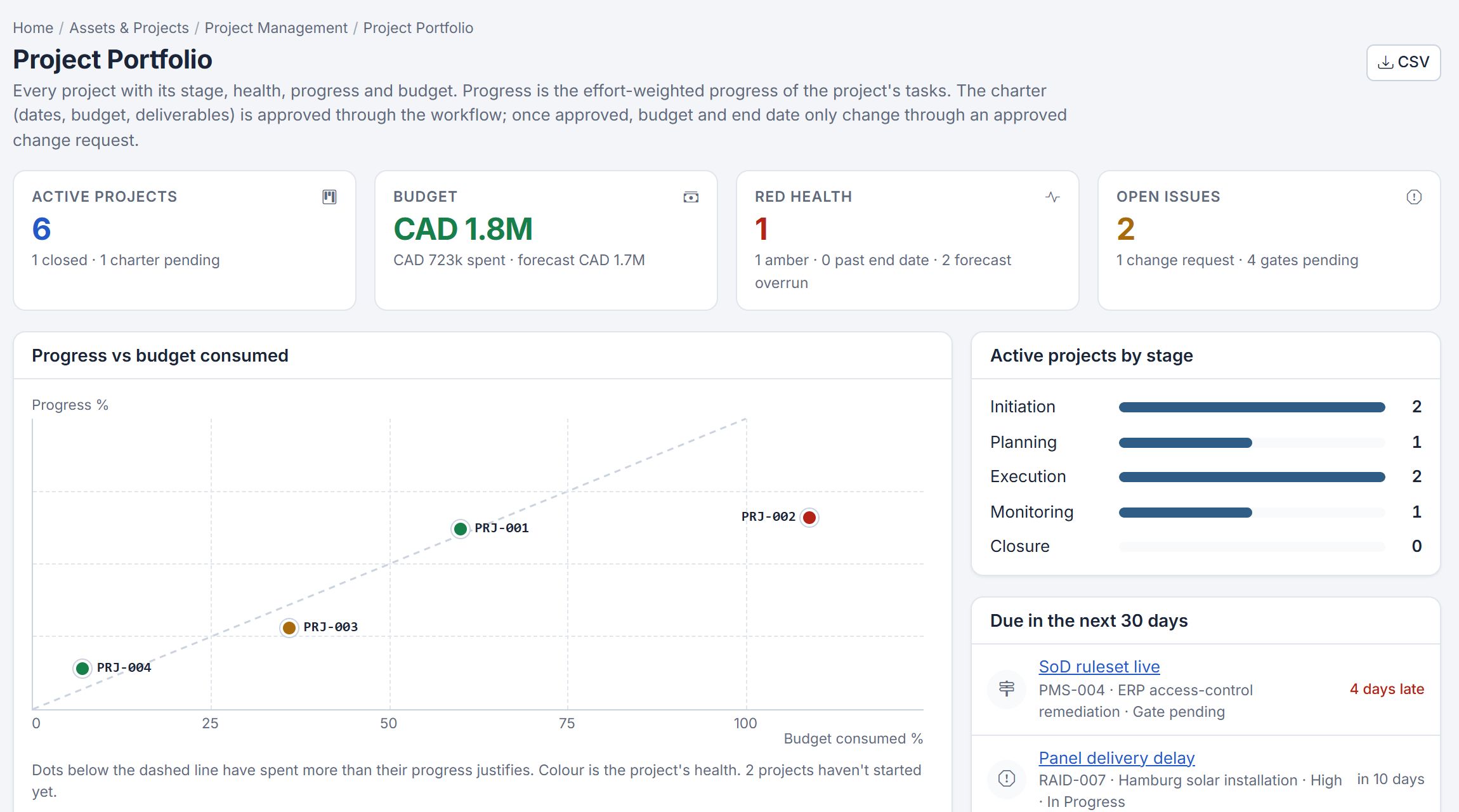
Certora Project Management controls budget and change, logs risks and issues, and closes projects with lessons learned and status and closure reports. Projects run from an approved charter with approval gates, a Gantt timeline and resources balanced across the portfolio.
See project governance with stage gates for the planning and approval side.